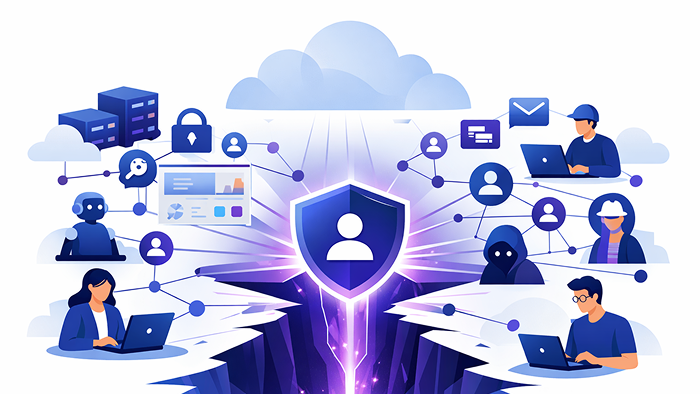

Why identity is the primary risk surface in the AI era — and how to fix it.
For fast-growing LATAM companies operating across borders and leveraging cloud technologies, security may seem like a future concern. Many organizations have successfully launched products, expanded operations, and avoided significant incidents to date. This raises the question: why prioritize security now?
As organizations expand, they become increasingly attractive targets for cyber attackers.
In 2026, attackers are not just going after big names. They are looking for companies with steady revenue, teams spread across locations, cloud resources, and enough reliance on technology that any disruption gives them leverage. The most common way they get in, according to real incident data, is still through identity.
Recent incident response reporting from Unit 42 (Palo Alto Networks) found that weak identity controls played a meaningful role in 90% of incidents they analyzed, and 65% of cases used identity-based attacks as the initial access path. (IT Pro) Sophos’ 2026 Active Adversary report follows a similar direction: 67.32% of root causes in its 2025 dataset were related to compromised identity (including brute-force, credential phishing, and auth-token theft). (SOPHOS)
Consequently, a typical breach in 2026 may initially appear uneventful:
Attackers are no longer relying on forced entry; instead, they are gaining access through legitimate login credentials.
The identity gap: the access path for which no single party assumes full responsibility.
Most mid-market cloud companies do not lack security entirely; rather, their security measures are fragmented.
Identity is split across:
- a primary directory (Google Workspace or Microsoft 365)
- cloud consoles
- SaaS apps with their own logins
- contractors and vendors
- local accounts and admin exceptions
- service accounts, API keys, tokens, and automation credentials
This fragmentation results in what is referred to as the identity gap: a collection of accounts, permissions, and login paths created by rapid business growth, for which no single team is responsible for comprehensive management.
Attackers do not require primary security controls to fail; they only need to exploit the identity gap.
The proliferation of artificial intelligence exacerbates this issue by increasing the number of identities to manage.
The budget question (framed the right way)
Security investments should be guided by the exposure arising from organizational growth, rather than by fear or by generalized breach-cost headlines.
Two benchmarks help leaders budget rationally:
IT spending as a percentage of revenue varies by industry. For example, financial services companies usually spend between 4.4% and 11.4% (25th to 75th percentile), while discrete manufacturing spends about 1.4% to 3.2%. (Avasant) Cloud-native companies are often closer to the higher end because their operations rely on software.
Security spending as a percentage of IT budgets has been rising. IANS reports that security budgets went from 8.6% of IT spending in 2020 to 13.2% in 2024, and from 0.50% to 0.69% of revenue during the same period. (IANS)
A practical planning heuristic for scaling cloud-native mid-market companies is as follows:
- Begin by allocating approximately 10 to 15 percent of the IT budget to security, then adjust this allocation based on industry standards and the organization's risk profile.
- Prioritize investments that address the most prevalent failure mode: unauthorized access that appears legitimate.
Identity control services are designed to address this specific challenge.
The services you can implement today (and what each actually means)
Effective implementation requires more than simply purchasing a tool; it involves deploying a suite of services from platforms such as JumpCloud, Microsoft Entra, Okta, and Duo, tailored to the organization's technology stack.
1) Identity lifecycle automation
What it is: A system that automatically creates, changes, and removes accounts based on real employment status and role changes.
What we mean by “orphaned accounts”: These are accounts that remain active after someone no longer needs access, such as ex-employees, former contractors, vendors, or people who have changed roles. These accounts are risky because they are valid credentials that are hard to track.
How it typically happens in mid-market LATAM:
- Offboarding happens in one country but not another.
- A contractor was “temporary” and never removed.
- A business unit bought a SaaS tool, and IT never saw the accounts.
- A role changed and permissions accumulated instead of being revised.
What the service does in practice:
- Connects HRIS (or your hiring/offboarding workflow) to your directory and key apps.
- Pushes access rules by role/group (not by manual exceptions).
- Disables accounts everywhere when someone leaves—fast, consistently, and auditable.
This service addresses one of the most prevalent and often overlooked identity gaps: persistent access for individuals who no longer require it.
2) SSO + phishing-resistant MFA enforcement
What it is: Centralizing authentication so your apps rely on one identity source, then enforcing strong multi-factor authentication everywhere that matters.
What we mean by “credential sprawl”: When employees have separate passwords across many apps. That sprawl increases reuse and makes credential theft more likely to succeed.
Why this matters right now: Verizon’s 2025 DBIR Executive Summary highlighted how infostealer credential logs show 30% of compromised systems are identifiable as enterprise-licensed devices, and 46% of compromised systems with corporate logins were non-managed devices containing both personal and business credentials.
This reflects the current reality: credentials are often compromised through channels beyond managed organizational devices.
What the service does in practice:
- SSO reduces the number of passwords that exist.
- MFA reduces the value of a stolen password.
- Stronger MFA (phishing-resistant methods) reduces the value of social engineering and token replay.
3) Conditional access + device trust
What it is: Access policies that evaluate context (device, location, risk, app sensitivity) before granting access.
An 'unmanaged device' refers to a laptop or phone that is not enrolled in device management or does not meet baseline security controls such as patching, disk encryption, endpoint protection, or screen lock. Unmanaged devices are prevalent in LATAM mid-market environments due to widespread contractor use, bring-your-own-device policies, and distributed work arrangements.
What the service does in practice:
- Makes access tiered instead of binary.
- Managed + compliant device → normal access
- Unmanaged device → limited access or step-up verification
- High-risk actions (admin portals, finance, data export) → stricter requirements
- Prevents the “stolen session works anywhere” problem.
This control is particularly effective for cloud-native teams, as both legitimate users and potential attackers can access cloud resources from any location.
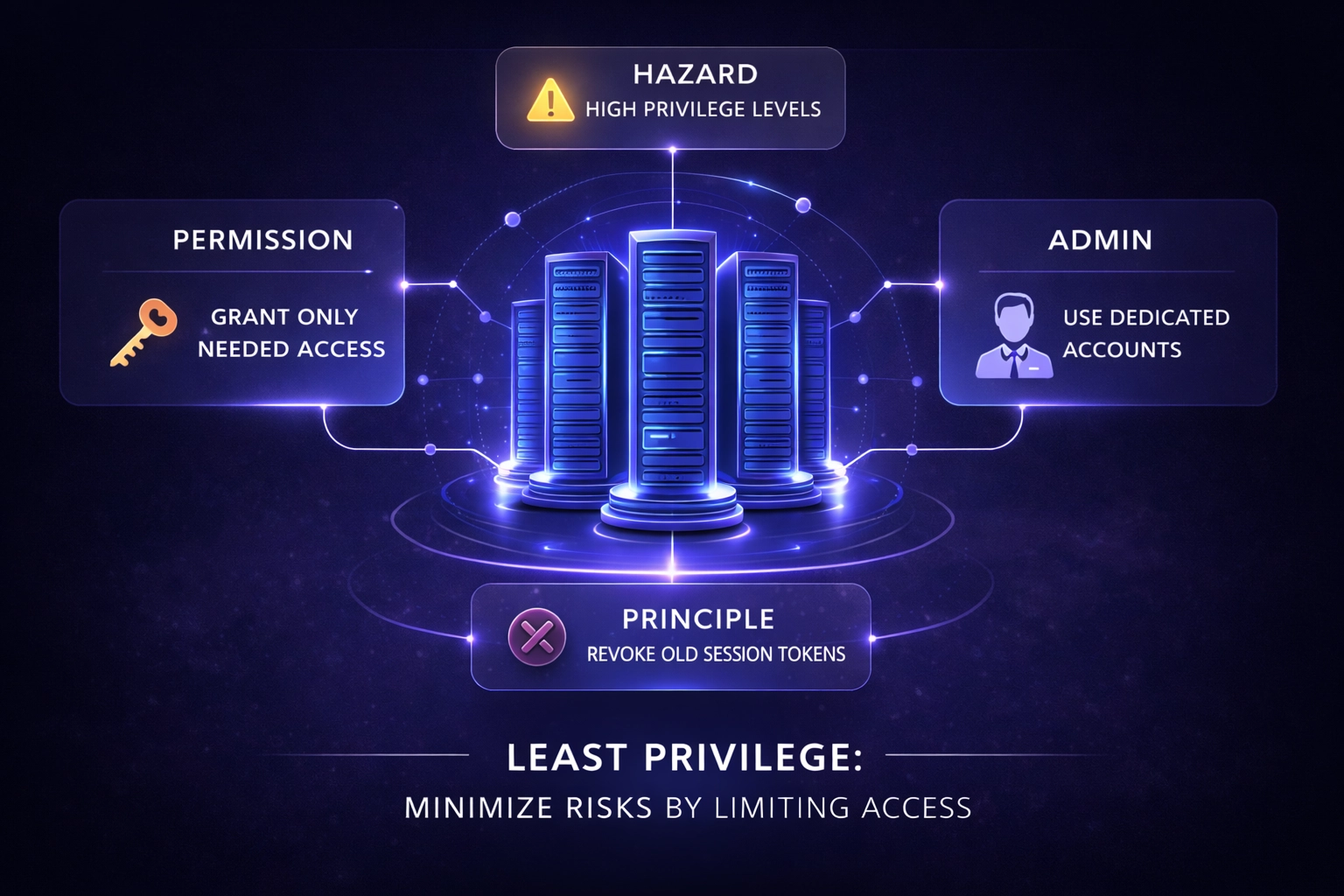
4) Privilege control (least privilege + admin separation)
What it is: Ensuring that a normal user account cannot quietly become a company-wide compromise.
What we mean by “standing privilege”: This refers to always-on admin rights, such as local admin on laptops, broad cloud roles like Owner or Admin, or shared admin accounts. These are convenient, but they can turn a single credential into a full takeover of a company.
Why it matters now: Unit 42 reporting cited an analysis of over 680,000 cloud identities, finding that 99% had excessive permissions. (IT Pro) Over-permissioning is the silent accelerant of modern breaches.
What the service does in practice:
- Separate admin accounts from daily accounts.
- Reduce broad roles; move toward scoped roles.
- Use time-bound elevation where possible.
- Apply stricter conditional access to admin portals than to normal SaaS apps.
Implementing these measures prevents a standard login from escalating into a security incident.
The AI era makes identity the front line
LATAM companies are rapidly adopting artificial intelligence for applications such as customer support copilots, internal search, sales enablement, workflow automation, and data analysis. The primary security risk is not the perceived threat of AI itself, but rather the increased complexity it introduces:
AI adoption increases identities and increases data pathways.
AI creates more non-human identities
Machine identities, such as service accounts, API keys, and workload identities, are growing rapidly in cloud-native and AI-enabled environments. Gartner links this growth to GenAI, cloud services, automation, and DevOps, and notes that, according to a Gartner survey, IAM teams are responsible for only 44% of an organization’s machine identities. (Gartner)
That “unowned 56%” is the identity gap, now at machine scale.
AI tools are being accessed outside corporate identity controls
Verizon’s DBIR Executive Summary highlights a real trend: many users access GenAI services on corporate devices, often using personal email or bypassing corporate authentication. This suggests they are using these tools outside of company policy controls.
Data exfiltration often occurs without publicized breaches, instead resulting from unmanaged access pathways.
Attack speed is compressing
Unit 42’s reporting (as summarized by ITPro) notes that attackers have dramatically reduced the time from initial access to data exfiltration—from hours to ~72 minutes in 2025, based on observed trajectories. (IT Pro)
The accelerated pace of attacks challenges all security controls. Identity controls are among the few defenses capable of blocking or limiting access prior to data exfiltration.
So what does “identity control for AI” look like in practice?
- Require corporate accounts for AI tools (no personal email signups).
- Enforce SSO + MFA for AI platforms and AI-connected SaaS.
- Restrict which apps can connect via OAuth/API tokens.
- Use conditional access so AI admin consoles require managed devices + stronger auth.
- Inventory and rotate machine credentials; remove “forever tokens.”
- Apply least privilege to AI agents (what data can they read/write? what actions can they take?)
Artificial intelligence does not eliminate the necessity for identity management; rather, it increases the importance of robust identity governance.
How this fits into the rest of cybersecurity (so it’s not “identity and pray”)
Identity control services are not your entire security program. They are a force multiplier for everything else:
- EDR detects endpoint compromise; identity controls prevent it from becoming cloud compromise.
- Email security reduces phishing; MFA + conditional access reduce the blast radius when phishing works anyway.
- Logging/SIEM helps investigations; unified identity makes logs consistent and actions reversible (disable account, revoke sessions).
- Backups protect continuity; privilege control and access governance reduce the chance that ransomware gets the permissions it needs.
- Vulnerability management reduces exploit risk; identity controls reduce the effectiveness of stolen credentials and token theft.
In summary, identity management is not the entirety of a security strategy, but it serves as a critical layer that prevents common security issues from escalating into major incidents.
Where to start (and when identity might not be first)
It is important to clarify that while identity management becomes foundational at scale, it may not represent the initial security investment for all organizations.
If you’re missing basics like patching discipline, backups, and endpoint protection, start there.
If your company has more than 300 employees, operates in multiple countries, relies heavily on SaaS, and is cloud-native, identity control services are often the quickest way to reduce risk because they apply to all your existing tools.
A 30-day rollout that actually works for lean teams
Week 1: Centralize identity
Pick your identity control plane, connect your core directory, and integrate your top 10 apps + cloud console.
Week 2: Enforce MFA where impact happens
Admin portals, finance systems, email, and remote access. Remove exceptions.
Week 3: Deploy conditional access + device trust
Tier access based on device compliance; restrict admin actions to managed devices.
Week 4: Reduce privilege + automate lifecycle
Separate admin accounts, reduce standing privilege, and automate offboarding across apps.
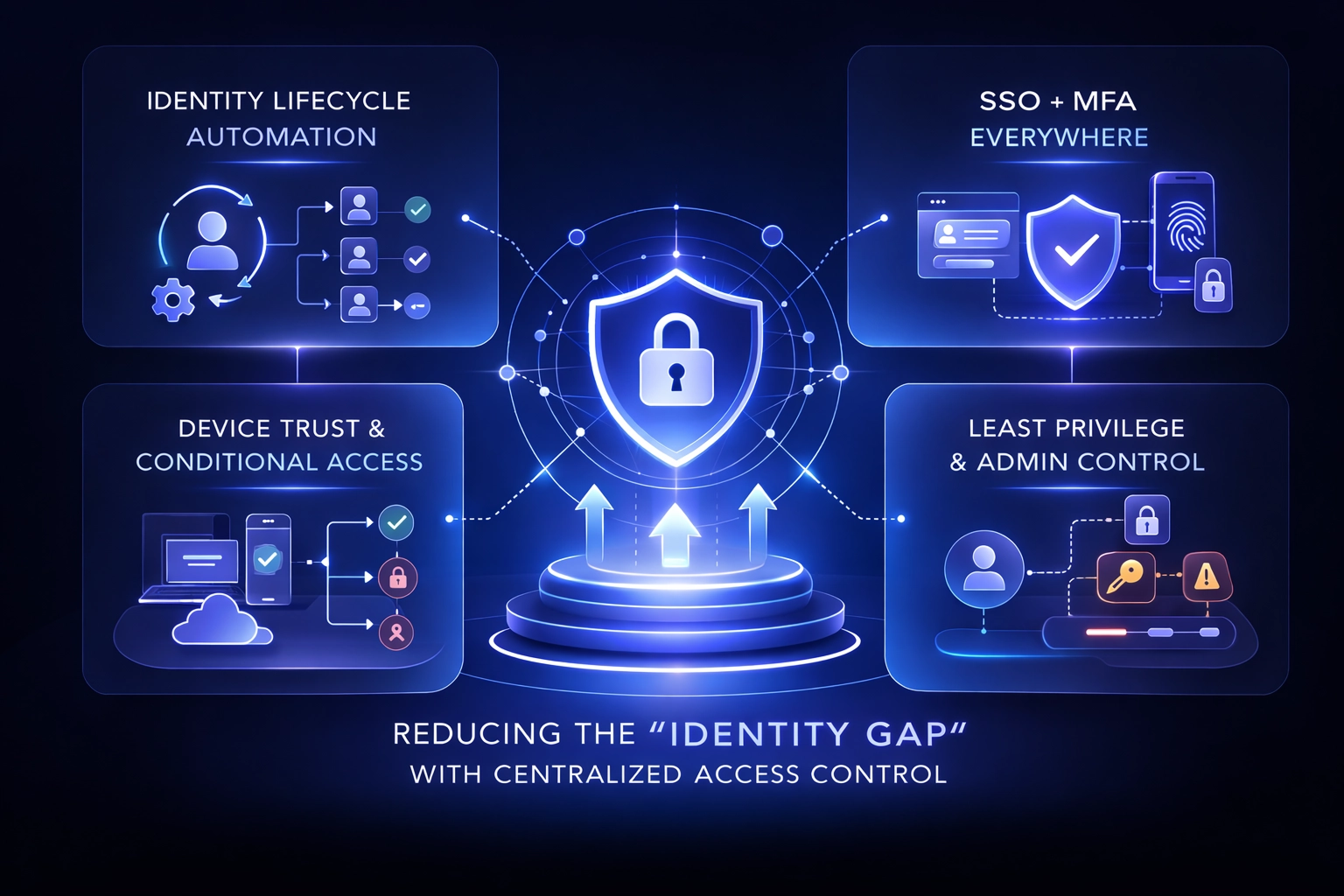
While these measures will not achieve perfect security, they will significantly increase organizational resilience against compromise and facilitate secure operations during growth.
References
- Palo Alto Networks Unit 42 (via ITPro summary). The Global Incident Response Report 2026 highlights the role of identity weaknesses in incidents, identity-based initial access, excessive cloud permissions, and the risk of AI agent overprovisioning. (IT Pro)
- Sophos. 2026 Active Adversary Report (identity-related root causes across the 2025 dataset). (SOPHOS)
- Verizon. 2025 DBIR Executive Summary (infostealer log observations, non-managed devices with corporate logins, GenAI access patterns).
- Gartner. Top Cybersecurity Trends for 2025 (machine identity growth and IAM responsibility gap; GenAI link). (Gartner)
- IANS Research. Security budgets as % of IT and revenue (8.6%→13.2% of IT; 0.50%→0.69% of revenue). (IANS)
- Avasant. IT spend as a % of revenue by industry benchmarks. (Avasant)